AI Agent vs. LLM: The Difference Between Answers & Action
AI Takeaway
- What is the difference between an AI agent and an LLM? An LLM generates responses from context. An AI agent uses an LLM plus tools, memory, planning, and a loop to complete tasks.
- Is ChatGPT an AI agent or an LLM? ChatGPT is built on LLM technology. It behaves more like an agent when it can browse, use tools, run code, work with files, or complete multi-step tasks.
- When is an LLM enough? Use an LLM for drafting, summarizing, explaining, coding help, and one-off reasoning.
- When do you need an AI agent? Use an agent when the job needs follow-through: checking sources, using apps, updating files, monitoring changes, or working on a schedule.
- What do most AI agent explainers miss? Real agent work needs a stable runtime, permissions, tool access, memory, logs, and a place to keep working after the chat ends.
AI Agent vs. LLM: Quick Comparison
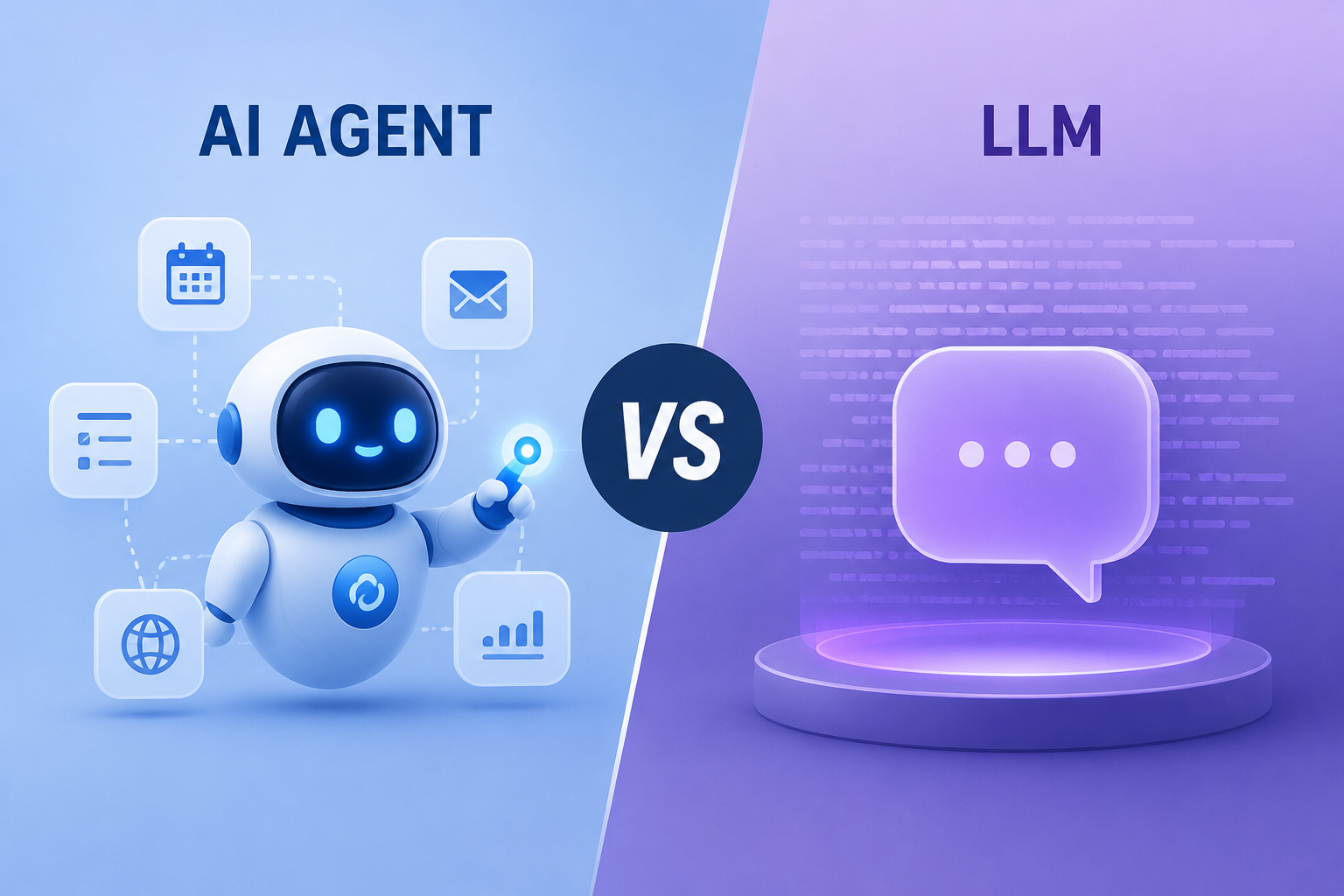
The easiest way to understand AI agent vs. LLM is to separate thinking from doing. An LLM is the model layer. It reads context, predicts useful output, and generates language. An AI agent is the system around that model: it gives the model a goal, lets it use tools, tracks progress, and keeps moving until the work is done or needs approval.
Put another way, LLM vs. AI agent is the difference between getting a useful answer and having software carry the work forward.
| Category | LLM | AI Agent |
|---|---|---|
| Main role | Generates language | Works toward a goal |
| Input | Prompt or conversation | Goal, trigger, or schedule |
| Output | Answer, text, code, summary | Steps, files, alerts, reports, updates |
| Tool use | Optional | Central |
| Memory | Usually session-limited | Often keeps state |
| Autonomy | Mostly reactive | Plans, acts, observes, continues |
| Best for | Thinking and drafting | Execution and workflow follow-through |
If the task ends when you get a good answer, an LLM may be enough. If the task starts with an answer and then needs action, you are moving into agent territory.
What an LLM Actually Does

Generates Language From Context
LLMs are useful for writing emails, summarizing documents, reviewing copy, explaining errors, generating SQL, and turning messy notes into clearer structure.
Works Best When the Task Ends With an Answer
An LLM is a strong fit for tasks like summarizing a report, explaining a code error, drafting a reply, comparing tools, or rewriting a page. The deliverable is information or content. You read it and take the next step yourself.
Needs Something Else to Act
By itself, an LLM does not update a CRM, send an email, watch a website, or come back tomorrow with a report. It can draft the message, but another system or person has to act.
What Makes an AI Agent Different
An AI agent uses an LLM as the reasoning layer, but it does not stop there. It can decide what step to take, call a tool, observe the result, and continue.
If generative AI gives you an output, agentic AI tries to move a task forward. The comparison between agentic AI vs generative AI is useful because the real difference is what the system can do after it responds. The same idea applies to agentic AI vs LLM: one is about producing a response, while the other is about progressing a goal.
It Has a Goal, Not Just a Prompt
You can ask an LLM, "How should I monitor competitors?" and get a strategy. You can ask an agent, "Monitor these competitors and alert me when something important changes," and expect it to turn the goal into steps.
It Uses Tools to Act
Tool use is where agents become practical. A useful agent may need a browser, files, email, GitHub, Slack, WhatsApp, Sheets, a terminal, an API, or an MCP connector.
A chatbot may use an LLM and still mostly reply. An agent may use a chat interface and still do much more behind the scenes. The comparison of AI agent vs chatbot covers that interface side in more detail.
AI Agent vs Chatbot vs LLM
A chatbot is the conversation layer. An LLM is the model layer. An AI agent is the execution layer that can use the model, the chat interface, and external tools together.
It Runs in a Loop
The basic agent pattern is simple: understand the goal, plan the next step, use a tool, observe what happened, and decide whether to continue or ask for approval.
Is ChatGPT an AI Agent?
 ChatGPT is built on LLM technology. In its simplest form, you ask and it answers. The line gets blurry when it can browse, analyze files, run code, or use tools.
The better question is what it can actually do:
- Can it use the tools required for the task?
- Can it keep context across steps?
- Can it ask before risky actions?
- Can it produce a finished result, not just advice?
- Can it run again later without you restarting everything?
That last question matters because many workflows need a persistent place to run.
When an LLM Is Enough
There is no need to turn every AI task into an agent workflow. Use an LLM for drafting, summarizing, brainstorming, rewriting, explaining concepts, generating snippets, and reviewing short content.
If the final deliverable is a paragraph, table, idea list, explanation, or draft, an LLM may be all you need.
When You Need an AI Agent
An AI agent becomes useful when the work needs follow-through across apps, context, repetition, or changing information.
The Task Has Multiple Steps
Researching, comparing, extracting, organizing, writing, saving, and reporting are separate steps. An agent can reduce the handoffs.
The Task Depends on Tools or Apps
Many business tasks live across email, calendar, Slack, WhatsApp, GitHub, Sheets, Notion, browser tabs, and files. An agent is valuable when it can move between them.
The Task Repeats Over Time
Daily competitor monitoring, weekly SEO audits, inbox triage, price alerts, and reports all require persistence. You do not want to re-explain the workflow every morning.
{{myclaw_blog_cta}}
The Missing Layer: AI Agent Runtime
Many explanations stop at "LLM + tools + memory." That misses the practical question: where does the agent live while it works?
An agent needs somewhere to run tools, store files, keep credentials, log steps, and handle approvals.
The runtime is where the agent keeps context, accesses tools, and continues working when you are not actively chatting. For serious agentic AI vs LLM decisions, this layer matters as much as the model choice.
Always-On AI Agent Work Changes the Use Cases
Once an always-on AI agent can keep working after your laptop closes, the use cases change: page monitoring, weekly summaries, inbox checks, and research queues.
That shift is obvious in SEO. An LLM can help write a brief, but an always-on agent can check pages, compare SERP changes, find gaps, and build a queue. That is the idea behind an SEO AI agent: repeated inspection and follow-through, not one clever answer.
AI Agent Examples: LLMs vs Agents in Real Work
The difference between AI agents vs LLMs is easiest to see when the task has a real output outside the chat window.
Competitor Monitoring
An LLM can draft a tracking checklist. An agent can check pricing pages, changelogs, launch pages, and social updates, then send an alert.
Email and Admin Work
An LLM can draft a reply. An agent can read the thread, check context, create a reminder, update a task, and ask for approval. With tool access, a Gmail skill can turn email from a writing task into a workflow.
Coding and Technical Work
An LLM can explain a bug. An agent can inspect the repo, edit files, run tests, and prepare a result for review.
From Model Answers to Always-On Work
If you only need answers, a normal LLM is enough. If you want an assistant that keeps working and brings back finished work, runtime becomes part of the decision.
Hosted OpenClaw for People Who Want the Agent, Not the Setup
 MyClaw gives OpenClaw a private hosted environment so the assistant can stay online, connect tools, and work without making you maintain a server.
The practical promise is simple: give the agent a goal, let it keep working, and review the result.
Better Fit for Always-On Work Than One-Off Chat
MyClaw is strongest for workflows that benefit from persistence: competitor monitoring, SEO checks, inbox triage, recurring reports, file work, browser tasks, and technical follow-up. It is about giving agent work a reliable place to happen.
If you are comparing open-source approaches more broadly, open source AI agents is a useful next step because control and hosting choices matter once agents touch real work.
Conclusion
The AI agent vs. LLM distinction is not a fight between unrelated technologies. The LLM is the reasoning engine. The agent gives that reasoning a goal, tools, memory, and a way to act.
A better model helps, but the real shift happens when the agent has a reliable place to run, the right tools connected, and enough persistence to keep working after the conversation ends.
Skip the setup. Get OpenClaw running now.
MyClaw gives you a fully managed OpenClaw (Clawdbot) instance — always online, zero DevOps. Plans from $19/mo.